Your MCP server is burning tokens, and trust.
Six problems I kept hitting while building agents on MCP, what they cost across 840 benchmark runs, and the open-source framework I built to fix them.
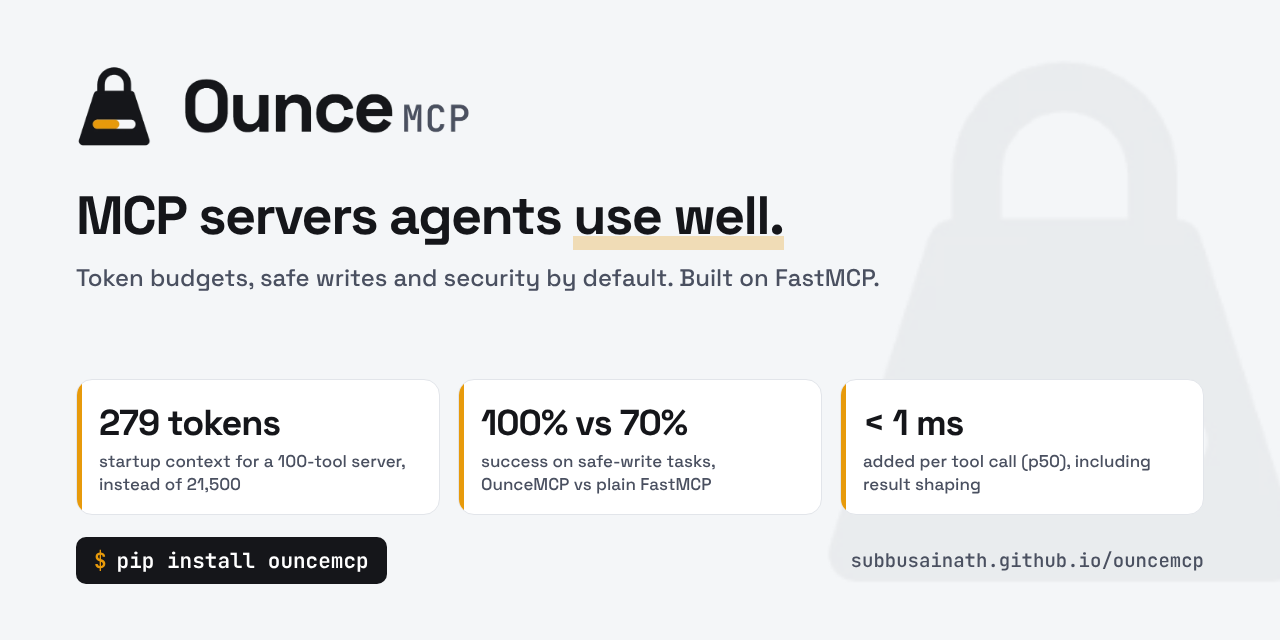
Ask an agent a plain question about your cloud inventory and look at what the server sends back. In an early measurement on the inventory example I use for testing, a plain MCP server answered every question with every matching record: config, metrics, tags and all. A four-task session read 32,280 tokens. The same four tasks, served with budgets, took 1,510. Later, in a larger benchmark, one model reading those long raw lists miscounted the resources it had just been handed.
Nothing in that server was broken. It did what many Model Context Protocol (MCP) servers do. MCP is the standard way an AI application, the host, connects a model to tools: functions the model can call, each described by a name, a description and a JSON schema. The host sends those definitions to the model at the start of a session, they stay in its context on every turn, and every result is added on top. All of it is counted in tokens, the chunks of text a model reads and a provider bills for.
This series is about the gap between a server that works and a server an agent can use well. I built an open-source Python framework, OunceMCP, to close that gap, and over eight parts I’ll show you how to use it, from a first server to tests, evals and production. This first part is the why: the problems that made me build it, what they cost in a benchmark, and a two-minute install.
Why I built OunceMCP
For the last two years I’ve built agentic systems with clients: tool calling, multi-agent workflows and, more recently, MCP servers that connect agents to real systems. The same six problems came back in project after project, and each time I fixed them by hand.
1. Tool definitions that bloated the context. Every tool’s name, description and schemas go to the model when the session starts and stay there for every turn. Forty verbose tools can use 20,000 tokens before the user has typed a word, and nothing in a typical server measures it.
2. Too many tools. Catalogs grow. Each new tool is one more definition the model has to read and choose between, whether the session needs it or not.
3. Raw results. A search that returns 500 rows, each with its config, metrics and tags, is complete and almost unusable. The model has to read all of it to find three fields, and long lists are where mistakes start: in my benchmark, one model miscounted the resources it had just been handed.
4. Output schemas with no good default. Typed results help the model and the host. Without them, nobody can validate what a tool returns. With them, every definition grows, and I had no way to see by how much or to turn them down where they cost too much.
5. Writes I couldn’t trust, and permissions left to the model. A write that timed out was retried and ran twice, or a model read “can I close this?” as “close this” and acted before anyone confirmed. Identity came from a tool argument the model writes, one tenant’s data was reachable from another tenant’s session, and URLs from the model were fetched without checks.
6. No way to prove an agent works. Unit tests passed while the model still picked the wrong tool, and there were no evals, benchmarks or traces to catch it.
None of these is a protocol problem. MCP gives you the means to do better; the defaults just don’t, so every team ends up writing the same fixes. I built OunceMCP to make those fixes the defaults, and released it as open source so others don’t have to write them again.
What I measured
I didn’t want to argue this from intuition, so I benchmarked it. Two example servers, each built twice: once as a plain FastMCP server and once with OunceMCP. Four models (Claude Haiku 5.5, Claude Sonnet 5.5, GPT-5.4 mini and DeepSeek V4.1 Flash), 21 tasks, five runs per task, server and model: 840 runs. Success was judged on outcomes, such as facts in the answer and the state of the ticket store, never on which tool path the model took.
Inventory server (large results)          OunceMCP vs plain FastMCP
  Tokens per task                         58–85% fewer, for every model
  Cost per task                           lower for every model
  Task success                            100% vs 75–100%
  Tool definitions (startup)              584 vs 244 tokens

Ticketing server (writes, small results)
  Task success                            100% vs 68–70%
  Tokens per task                         17–40% more
  Tool definitions (startup)              649 vs 366 tokens
Source: the published benchmark write-up, with the raw JSON next to it. Two things to know about these numbers. They were recorded on 14 November 2026 with a pre-release build of OunceMCP (0.0.1.dev0) and FastMCP 4.1.6, before the current 1.0.0rc3. And token counts vary between runs: a second full run a day later, the release-gate check, gave 58–68% fewer tokens per task on inventory and 20–51% more on ticketing. The 85% depends most on DeepSeek, whose plain-server count moved from 18,811 to 8,071 tokens per task between the runs. OunceMCP’s 100% task success and every safety result were the same in both runs.
The inventory result is the easy one to explain. The plain server returns every matching record in full; OunceMCP returns a summary that fits a token budget and can be paged. GPT-5.4 mini scored 75% on the plain server and 100% on OunceMCP. Reading the large plain lists, it miscounted resources in some runs and, in all five runs, missed the costliest function and failed to list the degraded load balancers.
The ticketing result is the one I care about most. On the plain server, every model closed a ticket the user had declined to confirm, deleted a ticket without permission and showed a ticket that belonged to another team. Each of those tasks failed in all five runs for every model on the plain server. On the OunceMCP server, all three were refused, for every model, in every run, and the second full run gave the same result. The models were the same on both servers. The difference was that the OunceMCP server asks the user before closing a ticket and checks permissions itself, instead of leaving those decisions to the model.
Put the approval in the server, where the model can’t skip it.
The cost, stated plainly
OunceMCP’s tool definitions are larger: about 1.8 to 2.4 times the plain server’s in this benchmark. About half of that is output schemas (48% of the inventory server’s definition tokens), and the response_format option, which lets the model ask for concise or detailed results, adds more. On a small server with small results, that means more tokens per task, not fewer. You can see it in the ticketing numbers above: 17–40% more. The savings come from results, and they show up when results are large.
In practice, the extra definition tokens on the inventory server (584 against 244, so about 340 more per session) were small next to the savings in results. On the ticketing server they were not: Claude Sonnet 5.5 cost $0.0061 per task on OunceMCP against $0.0051 on the plain server, because the larger definitions weren’t offset by smaller results. That tenth of a cent bought a server that enforced approvals and permissions in every run. If that trade doesn’t suit a server, output_schemas="auto" drops a schema only where it would push a definition over its target, and ouncemcp check shows the cost per tool before you ship. I would rather you know that before you install it than after.
What OunceMCP changes
OunceMCP is built on FastMCP and the official MCP Python SDK. You still write a decorated Python function per tool. The difference is in the defaults, one for each of the six problems above:
- Definitions are measured.
ouncemcp checkcounts every tool definition the way the host receives it, and fails CI when one grows past its budget. - Large catalogs switch to search-then-call automatically, so 200 tools don’t cost 200 definitions.
- Every result has a token budget and still matches its output schema. Lists are trimmed first, the model is told what was cut, and the next-page cursor moves so nothing is skipped.
- Output schemas are on by default and visible.
checkshows what share of each definition they take, andoutput_schemas="auto"drops one only where it would push a definition over its target. - Writes and permissions are the server’s job. Every tool declares its effect. Writes are never retried for you, can be made idempotent so a repeated call replays the first result, and can require a person’s approval with a signed, single-use receipt the model cannot forge. Identity comes only from the verified token, one policy decides both who sees a tool and who may call it, and outbound fetches are checked.
- Testing comes with it. In-process tool calls for tests, a security suite, task suites a real model can run, a benchmark harness and traces.
It is Apache-2.0, supports Python 3.11 to 3.13, and is currently a 1.0 release candidate, 1.0.0rc3. The API is frozen; an external security review is the last step before 1.0.0. It had ~300 PyPI downloads in its first two days (pypistats, Nov 2026). Download counts include CI runs and bots, so I read that as early interest and nothing more. This series is for turning interest into a working server.
Try it: two minutes
You need Python 3.11 or newer. In an empty folder:
python -m venv .venv && source .venv/bin/activate
pip install "ouncemcp==1.0.0rc3"
ouncemcp --version
ouncemcp init notes-server
ouncemcp 1.0.0rc3
Created notes-server (6 files). Next:
cd notes-server
uv venv && uv pip install -e ".[dev]"
uv run pytest
uv run ouncemcp dev server.pyinit writes a small notes server with two tools, six passing tests and a CI workflow. Measure it before you change anything:
cd notes-server
ouncemcp check server.py
Tokenizer o200k_base
Startup context 300 tokens across 2 tools [OK, budget 4,000]
Output schemas 96 of 300 tokens (32%)
Counted name, description, inputSchema, outputSchema
Not counted title, annotations, _meta
Tool Total Desc Input Output Other Status
notes.search 182 15 91 64 12 OK
notes.add 118 17 61 28 12 OK
Per-tool budget: target 250, warn 500, fail 1000
Discovery direct (direct costs 300 tokens, within the 4,000-token threshold)That is what every session with this server costs before anyone types a word: 300 tokens, a third of them output schemas. Part 2 explains each line.
What it doesn’t do
Token counts use one tokenizer per server, o200k_base by default, because MCP does not tell a server which model is calling. The numbers are a consistent estimate for comparing designs, not a provider’s bill; you can pick another tokenizer, or ask Anthropic’s counting API for Claude models. And OunceMCP cannot make a bad tool design good. It measures and enforces; you still decide what each tool should do.
Takeaways
- Everything a server sends, definitions and results, ends up in the model’s context and is paid for in tokens.
- In 840 benchmark runs, budgeted results cut tokens per task by 58–85% on a server with large results, at the price of 1.8–2.4x larger definitions.
- Safety that depends on the model behaving failed for every model tested; safety enforced by the server held in every run.
pip install "ouncemcp==1.0.0rc3"andouncemcp checkshow you the cost of a server in under two minutes.
I built OunceMCP so the fixes I kept writing by hand live in the server, for everyone. If it’s useful to you, star it on GitHub or open an issue about what’s missing; both tell me what to work on next. You can also reach me on LinkedIn.
Next in the series: part 2, Build your first OunceMCP server in 15 minutes.
Read alongside: chapter 1 of The OunceMCP Book, Getting started.